
01
Give them somewhere to check first
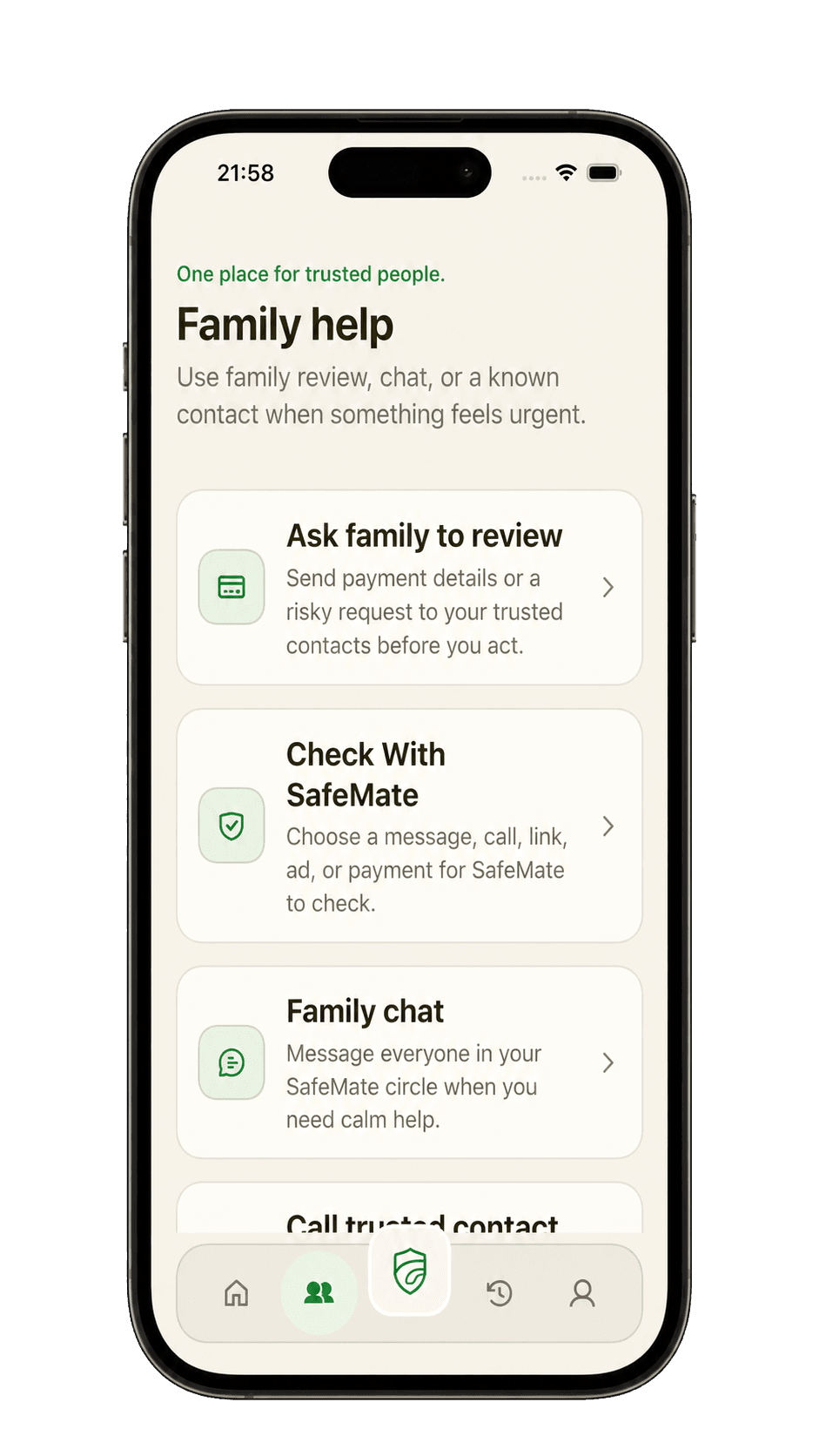
Your parent can paste a strange text, upload a screenshot, check a link, or describe an urgent call before deciding what to do.
AI can make a fake call sound like family and a fake message look real. SafeMate gives your parent a plain-English check and a private way to ask you before replying or paying.
 iPhone firstComing soon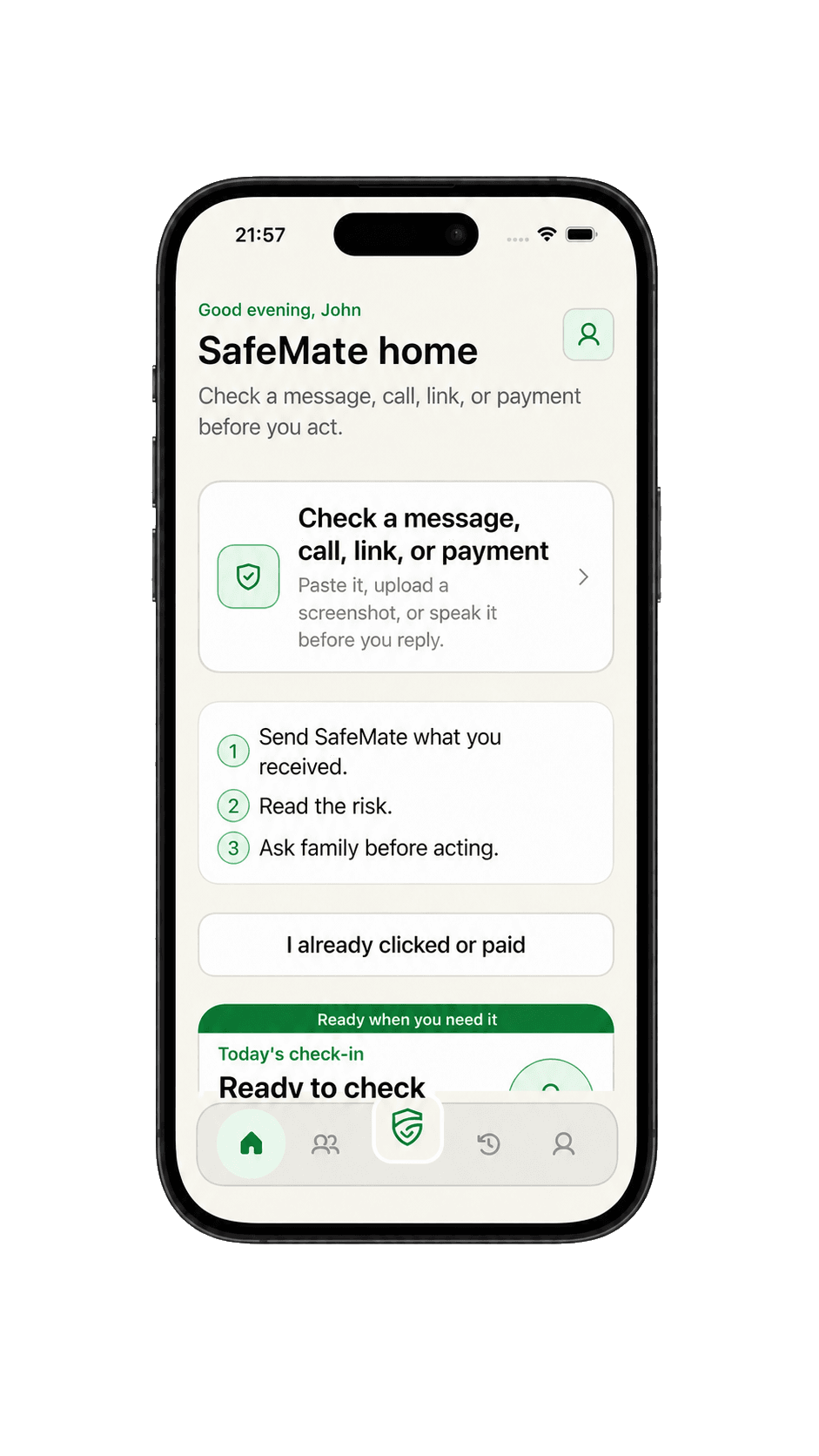
Hover, focus, or tap an asteroid to reveal a fact.
Why families are acting now
A story may sound personal and a request may look real. Scams still rely on urgency and isolation. A pause gives your parent time to check the facts and reach you or another trusted contact.
The $7.7B includes all internet-crime categories reported by people 60+, not only AI-enabled scams. These figures reflect complaints reported to IC3; not every scam is reported or includes an age.
Losses by age group
Losses reported to the FBI's Internet Crime Complaint Center in 2025.
Where older adults reported the largest losses
Reported losses among people 60+ in the FBI's 2025 Internet Crime Report.
AI can clone a loved one's voice from a short audio clip and make a fake emergency feel real.
The caller may demand secrecy, create panic, and ask for money before your parent has time to verify the story.
A pause changes that moment: hang up, call back on a number your parent already knows, and ask you or another trusted person before paying. SafeMate gives them one familiar place to do it.
Protection that respects them
Your parent can understand a suspicious request on their own and reach you when they want a second opinion.
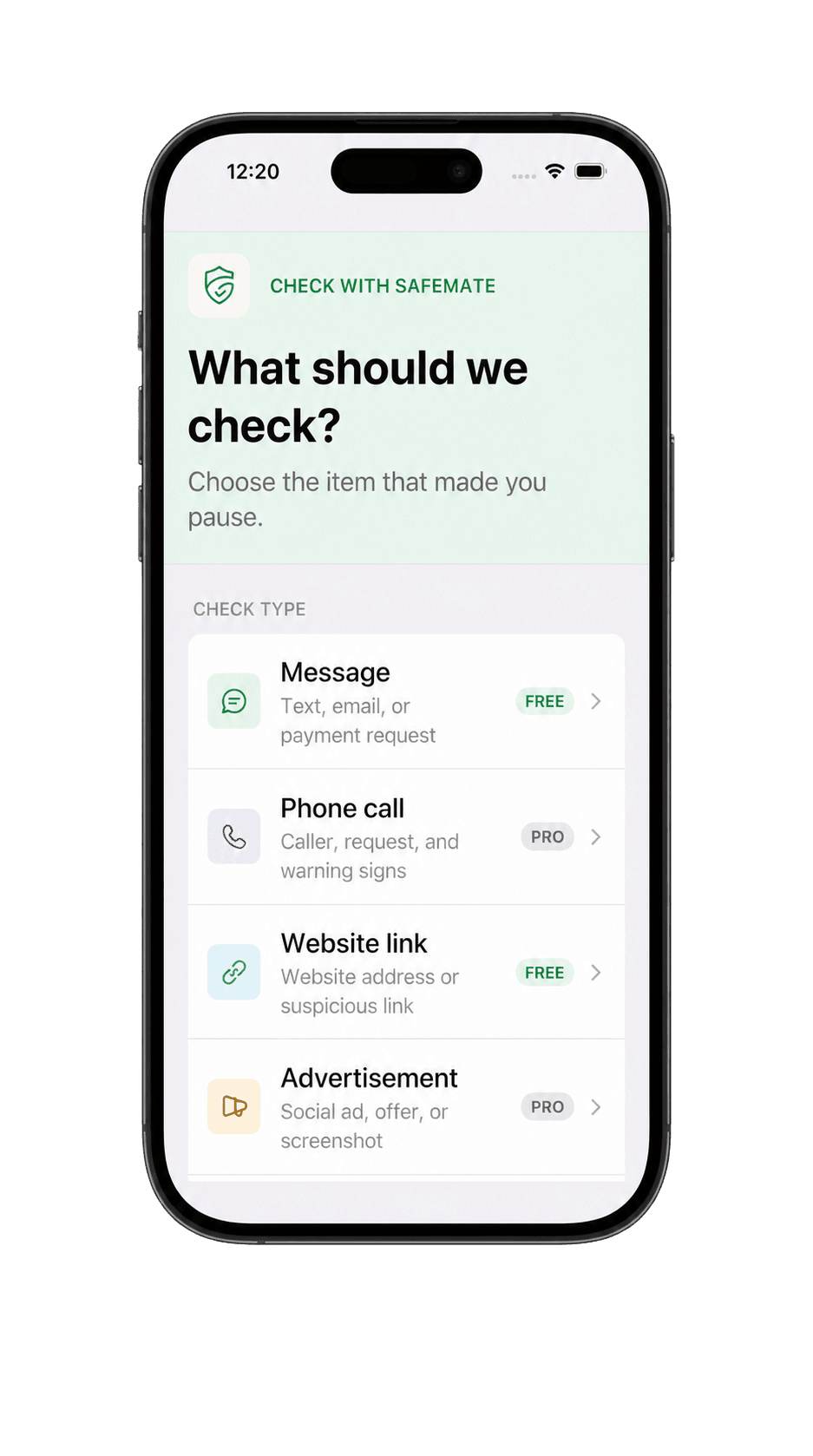
Your parent can paste a strange text, upload a screenshot, check a link, or describe an urgent call before deciding what to do.
SafeMate explains the risk, points out the warning signs, and suggests what to do next in language your parent can act on.
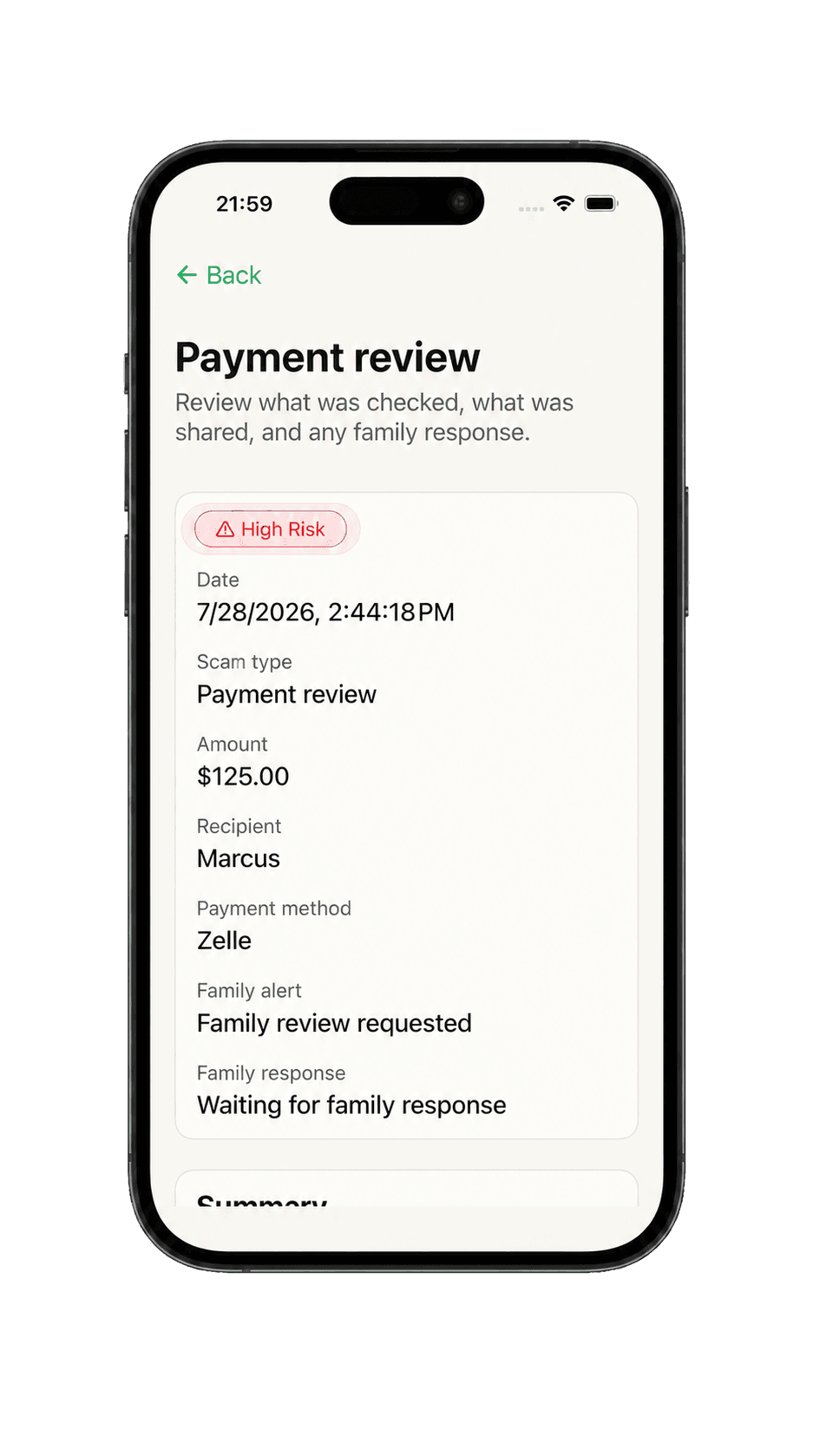
When your parent wants a second opinion, they can send you the message or payment details that matter. You see only what they choose to share.
How it works
Designed to be easy for your parent to follow, even when a caller sounds familiar and the pressure feels real.
Your parent pastes the message, uploads a screenshot, checks the link, or describes the call.
They get a clear risk level, the warning signs SafeMate found, and a practical next step in plain English.
For a risky payment or worrying message, your parent can send you the details and ask for a second opinion.
What your parent sees
The app keeps the answer simple for your parent and the useful details ready when they ask you to help.
01
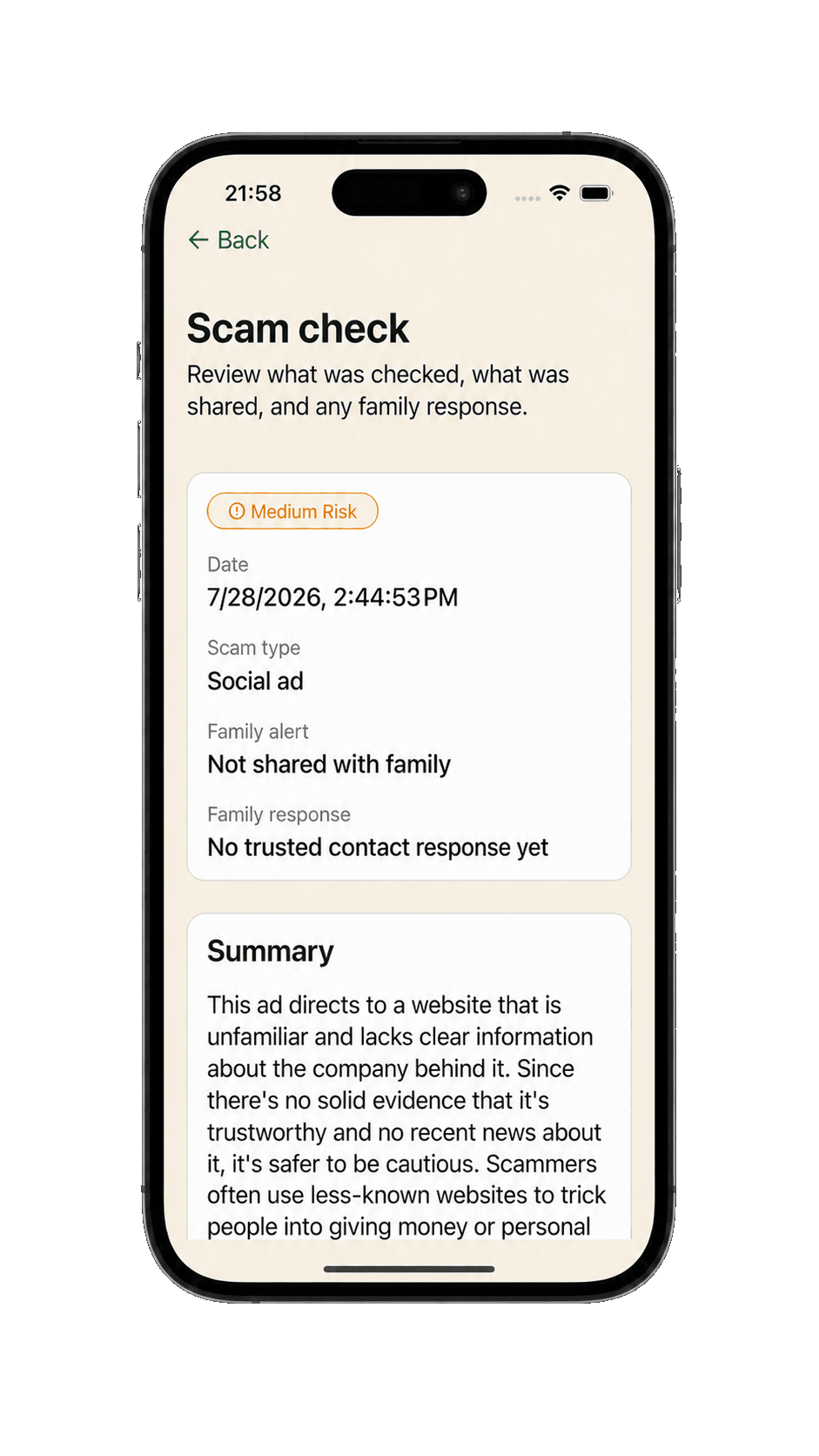
Every check gives your parent a risk level, the warning signs SafeMate noticed, and a suggested next step. No jargon, panic, or wall of technical detail.
02
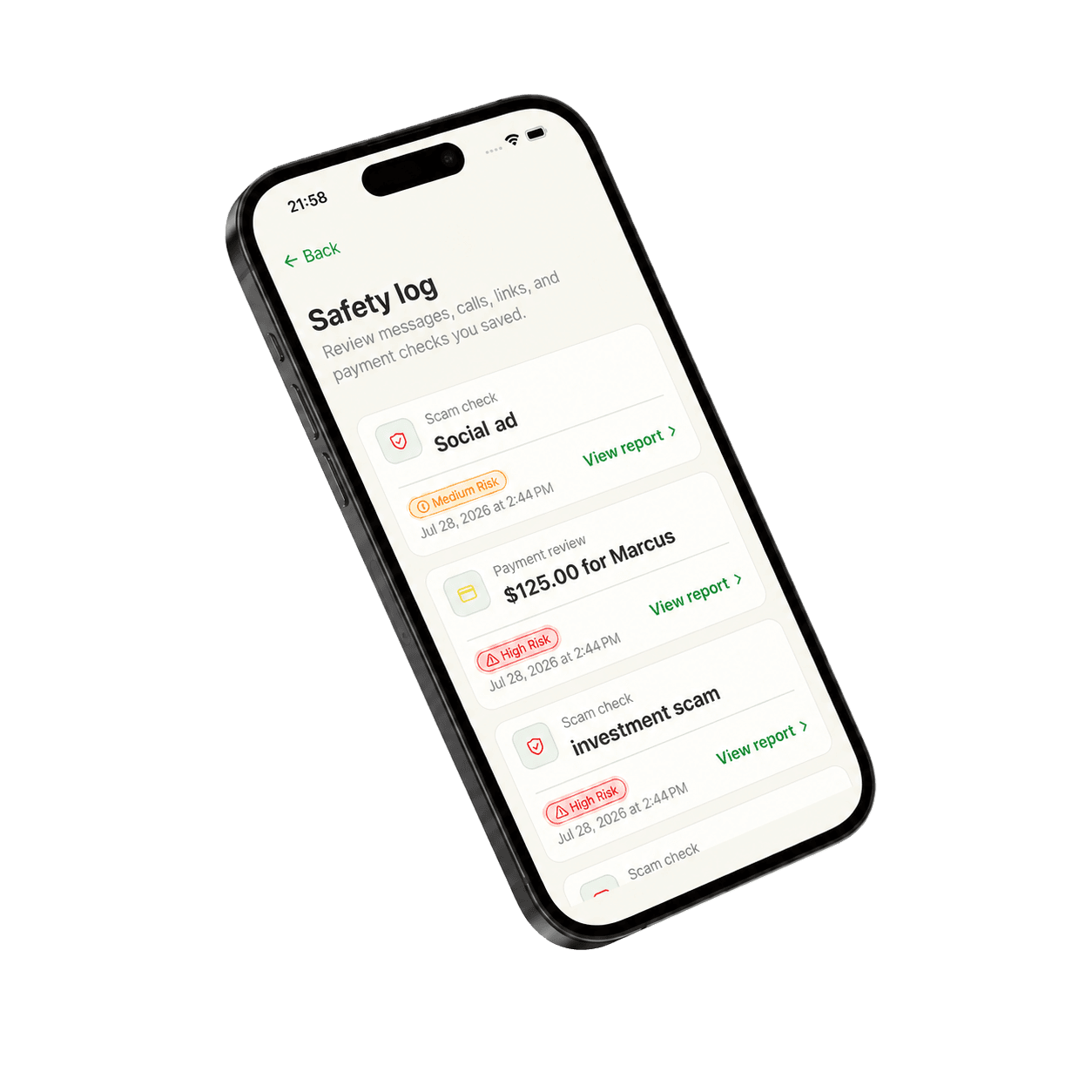
Dates, risk levels, and family reviews stay together in one clear safety log. Your parent can return to it later or use it when speaking with you or their bank.
03
The planned Free tier includes message and website checks, so your parent can build the habit of checking. Pro is planned to add phone-call and advertisement checks, plus family reviews before money moves.
For you and your parent
You want to help. Your parent wants to keep their independence. SafeMate gives both of you a calm way to handle the moments when something feels wrong.
For your parent
For you
SafeMate helps your family slow the moment down. It never moves, holds, or blocks money, and it never gives you control of your parent's account. The decision stays with them.
Privacy comes first
Protecting your parent should not mean reading every message or watching every decision. SafeMate keeps its boundaries clear.
You can help with setup, but the account belongs to your parent. Their consent stays at the center of every family feature.
Nothing comes to you unless your parent shares it or asks for a review. Their privacy settings stay in their hands.
SafeMate does not read messages, listen to calls, or watch bank accounts in the background. It checks only what your parent chooses to add.
You can see requested reviews, shared alerts, and the history your parent allows. Nothing more.
SafeMate is designed to give your parent clear sharing settings and an understandable way to delete their account.
SafeMate can point out warning signs, but it cannot guarantee a message or caller is safe. It never replaces a bank or the authorities.
Read about SafeMate's privacy practices in the privacy notice and terms. Questions? Write to support@safemate.family.
Pricing
The planned Free tier covers everyday checks. Pro is designed for families who want deeper checks and a direct way to review risky moments together.
Everyday checks planned at no cost.
$0at launch
Available when the iPhone app launches
Deeper scam checks and a direct way to ask family.
$12.99per month
Available when the iPhone app launches
Planned launch pricing and features may change before release. Subscriptions will be managed through the App Store.
Questions from families
When a message looks real or a caller sounds familiar, SafeMate helps your parent check what they received and reach you before money moves. Coming soon to the App Store, iPhone first.
iPhone firstComing soon